Free board tool
Crossword Maker
Make a crossword puzzle from your own words and clues in seconds. The layout is built for you; solve it together on the board or print a clean worksheet with an answer key. Free, no sign-up.
📝 This is a sample list.
Click a square or a clueType fill in the answerTab next clueSpace across / downEsc stop typing
Spaces and hyphens in English answers are left out of the grid, and each clue shows the letter count, like (5,4). Chinese answers work too: each character fills one square.
👀 Students can see this list when your screen is projected.
How to make a crossword puzzle
- Open Answers and clues and type one answer per line, then a bar and the clue:
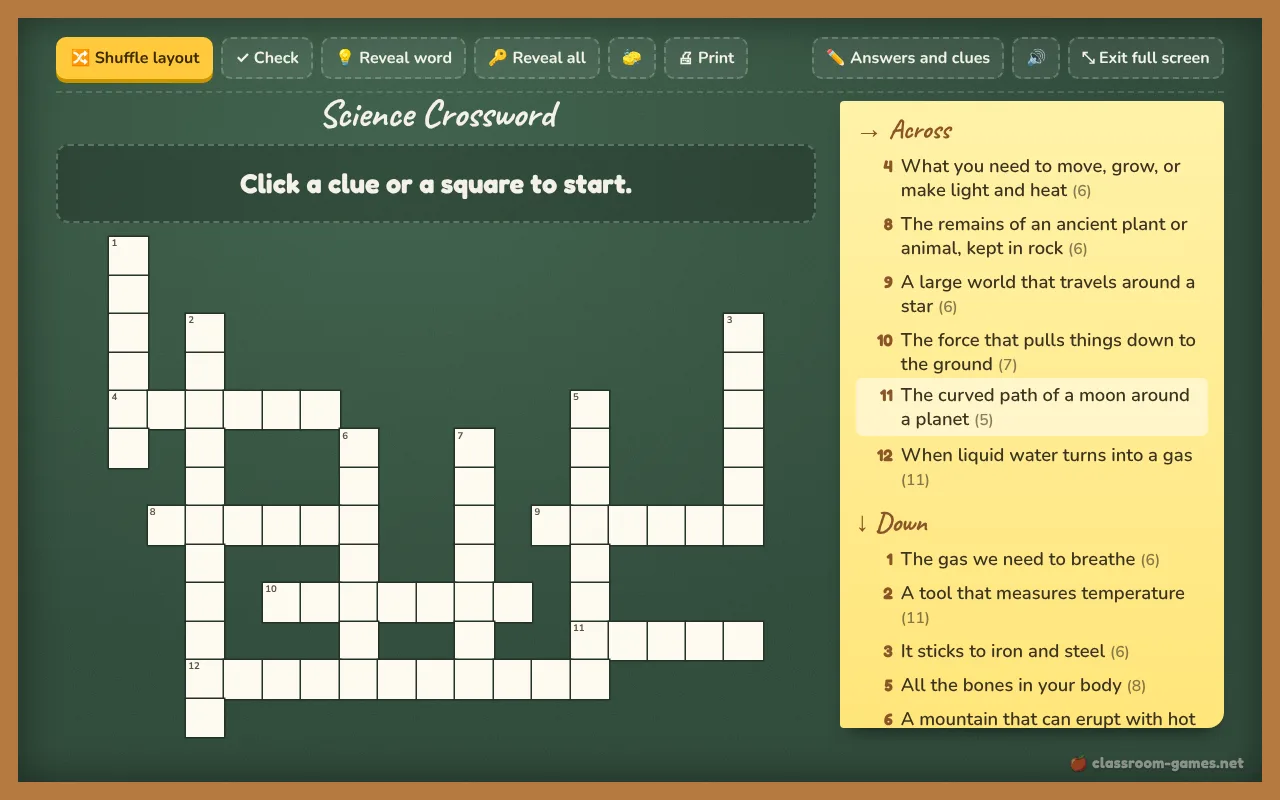
volcano | A mountain that can erupt. Add a title at the top. - Press Make the crossword. The words are laid out for you, crossing on shared letters, and the grid is numbered with Across and Down clues.
- Don’t like the shape? Press Shuffle layout. Each layout has a number, so the same list always gives the same puzzle again.
- Press Print for an A4 or Letter worksheet with a blank grid, numbered clues and a name line. Tick “Print the answer key” to add a second page with the answers filled in.
A word that shares no letter with the rest is listed under the grid instead of being dropped silently. Add a word that links to it, or reword the answer.
Solving it together on the board
Project the puzzle and click a clue or a square: the word lights up and its clue shows in big letters above the grid. Students call out answers while you type, or come up and type them. Press Check to mark wrong letters in red, Reveal word when the class is stuck, and Reveal all at the end. For a race, split the class with the team generator and keep score on the scoreboard.
More ways to practice a word list: a word search, hangman or bingo cards.
Questions teachers ask
Frequently asked questions
Is this crossword maker free?
Yes. Make, play and print as many crosswords as you like, with no account and no watermark on the worksheet.
Can I print the crossword with an answer key?
Yes. Tick “Print the answer key on a second page” before you print. The key shows the grid filled in and every answer next to its clue.
Why was one of my words left out?
Every word has to cross another word on a shared letter. If a word shares no letters with the others, it is listed as not placed. Press Shuffle layout, add a word that links to it, or change the answer.
Can I make a crossword in Chinese?
Yes. Each Chinese character fills one square, so you can make crosswords from idioms and vocabulary with Chinese clues.
More tools