Free board tool
Classroom Screen
One free classroom dashboard to keep on the board all lesson: clock, timer, stopwatch, name picker, groups, noise meter, work mode symbols, traffic light, instructions and a QR code. No login; your layout is saved.
Tap the buttons above to put a clock, timer, name picker and more on the board.
The microphone is off.
The sound is measured live in your browser. Nothing is recorded or sent anywhere.
Students scan it with a phone or tablet camera to open the page.
Space start / pause the timerN pick a nameS stopwatchG groupsW work modeL traffic lightF full screen
On each widget: ◀ ▶ move it, ⇔ makes it wider, ⚙ opens its settings and ✕ hides it.
Your layout is saved in this browser, so the board looks the same next lesson.
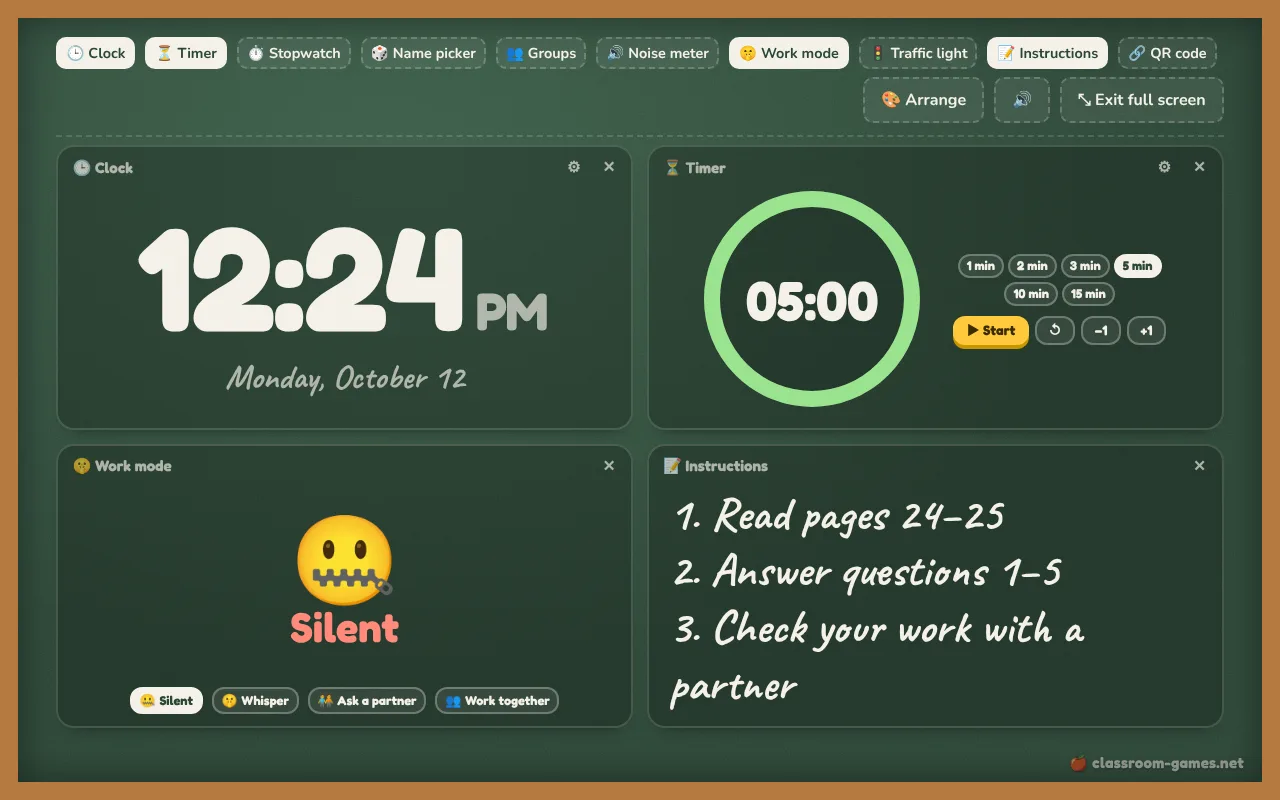
How to use the classroom screen
- Tap the buttons along the top to choose what shows on the board: a big clock, a countdown timer, a stopwatch, the name picker, a group maker, a noise meter, work mode symbols, a traffic light, an instructions box and a QR code.
- Type the lesson’s steps straight into Instructions. The text grows or shrinks to fill the box, so it stays readable from the back of the room.
- Press Arrange to move widgets with ◀ ▶, make one wider with ⇔, or switch the background between chalkboard, cork board and plain.
- Press Full screen and leave it up during the lesson. The layout is saved in your browser, so it looks the same next time.
The name picker and group maker use the same class list as the random name picker: add your names once and every tool knows them. The noise meter only asks for the microphone when you turn it on, and nothing is recorded.
Ideas for every lesson
- Start of the lesson: clock, the day’s instructions and a 5-minute timer for the warm-up.
- Group work: make groups, set “Work together”, and turn on the noise meter.
- Independent work: set “Silent” and the traffic light to red, with a timer showing how long is left.
- Sharing a link: show a QR code so students open a page on their tablets, such as a live quiz.
Need just one tool, bigger? Open the full classroom timer, noise meter or team generator.
Questions teachers ask
Frequently asked questions
Is this a free alternative to ClassroomScreen?
Yes. It runs in any browser with no account and no ads on the board. Your layout, instructions and class list are saved on your own device.
Does the noise meter record my class?
No. The microphone is only switched on when you turn on the noise meter, and the volume is measured live in your browser. Nothing is recorded or sent.
Where does the name picker get the names?
From the class list you saved in the Random Name Picker. If you have not added one yet, open the name picker’s ⚙ settings and paste your list; it is shared with the other tools.
More tools