The everyday tools
- Timer: a big countdown with presets and an alarm, readable from the back of the room.
- Random name picker: paste your class list once; it picks fairly, so everyone gets a turn before anyone is picked twice. Tap a name to mark a student absent.
- Team generator: random groups of any size in one click.
- Noise meter: uses the computer’s microphone to show how loud the room is. Nothing is recorded.
- Class points: points for groups or students, with class pets that grow, saved for next lesson.
- Buzzer, Spin the wheel, Dice and a Scoreboard for any game.
Everything on one board: Classroom screen
- Open Classroom screen.
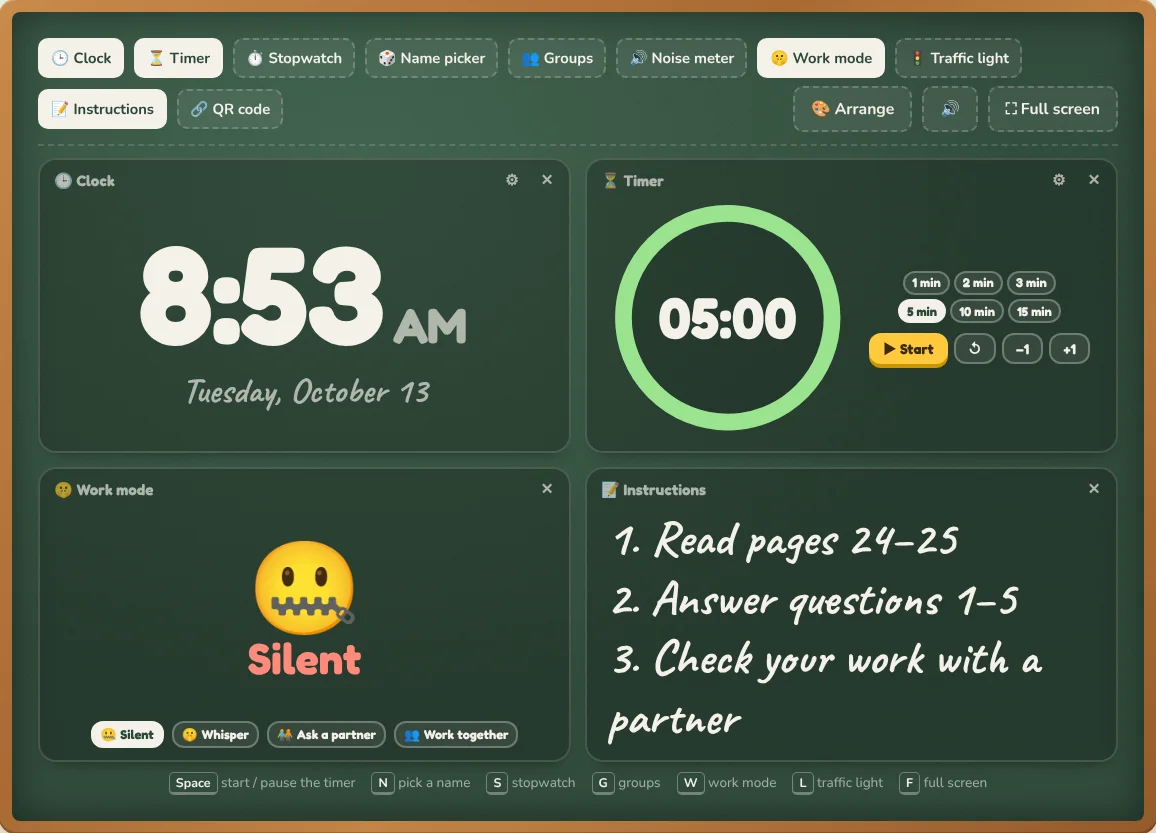
- Switch on the panels you need: clock, timer, stopwatch, name picker, groups, noise meter, work mode, traffic light, instructions and a QR code.
- Go full screen and leave it up during group work or independent practice.
Game makers you can play or print
Jeopardy, Hangman, Bingo cards, Crossword maker and Word search maker take your own words or a question set. Bingo, crossword and word search also print for the whole class.
TipThe name picker and team generator share one class list, and students marked absent are left out of both, so you only set it up once on each computer.
Using the tools on a smartboard
Every tool has a full-screen button and large touch targets. Many have keyboard shortcuts, listed under the tool, so you can run them from a clicker or keyboard.