Print a worksheet
- Open a question set, or open a game with your own list.
- Press 🖨 Print worksheet on the set’s page, or 🖨 Worksheet in the game editor.
- In the print window choose your printer, or Save as PDF to share it.
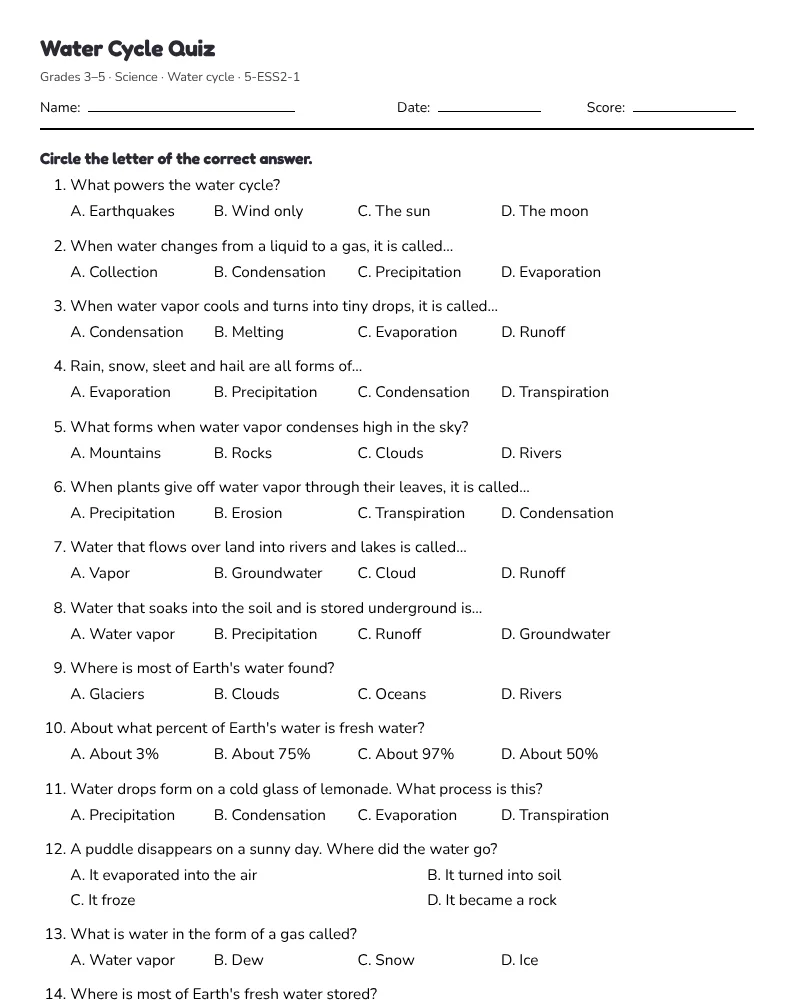
The worksheet has name, date and score lines, the questions with space to answer, and the answer key on its own page so you can keep it.
Make math fact questions
- In Quiz Show, Tic Tac Toe, Memory Match, Jeopardy or the other games that take questions, press 🎲 Make math questions. On the Question sets page use the Generate unlimited questions note.
- Choose what to practise: addition, subtraction, multiplication, division, mixed, two-digit by one-digit, or comparing fractions; the number range or times tables; and how many.
- Press New questions until you like them, then add them to your list, play them in the Quiz Show or the live quiz, or print them.
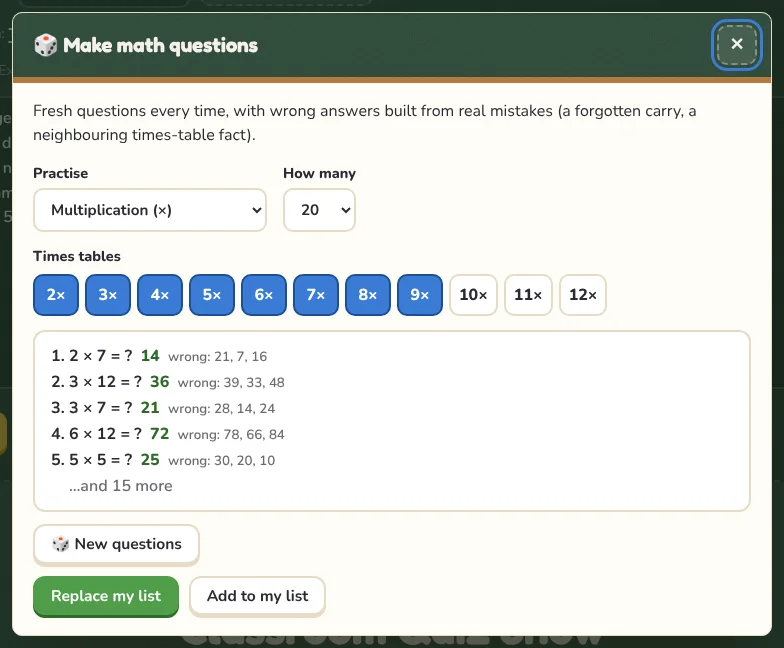
Wrong answers are made from real mistakes, like a forgotten carry or a neighbouring times-table fact, so multiple-choice questions really test understanding.
Printable games
The Bingo card generator, Crossword maker and Word search maker print a class set from your own words. Every game guide also has a Print rule card button.