Open the editor
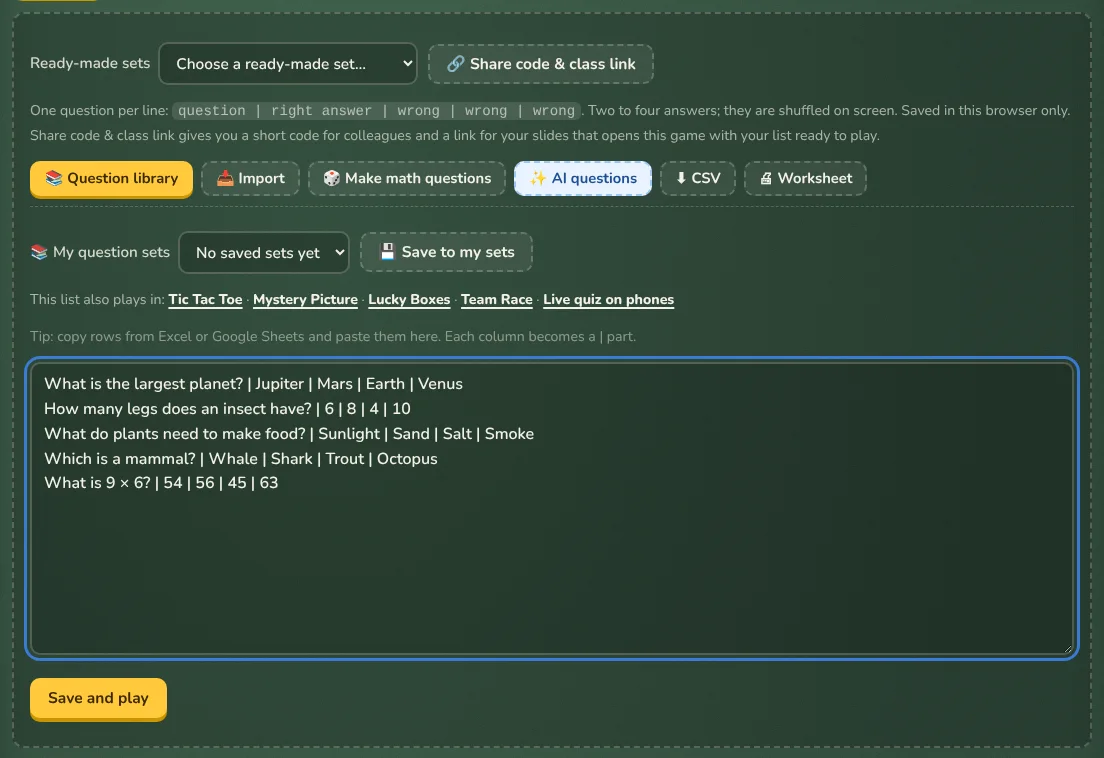
- In any game, press ✏️ Edit questions (in Hangman the button is called ✏️ Edit words).
- Delete the sample lines and type or paste your own, one per line.
- Press Save and play. Your list is saved in this browser and is still there next time.
The line format for each game
| Games | One line looks like |
|---|---|
| Quiz Show, Live quiz | What is 7 × 8? | 56 | 54 | 64 | 48Question, right answer first, then up to three wrong answers. They are shuffled on screen. |
| Tic Tac Toe, Mystery Picture, Lucky Boxes, Team Race | Capital of France? | ParisQuestion and answer. Quiz lines with wrong answers work too. |
| Memory Match | cat | gato or 6 × 7 | 42 or 🐶 | dog |
| Guess the Word, Word Scramble, Hangman | planet | It goes around the sunA word and an optional hint. |
| Sort It | Mammals | dog, whale, batA group and its items. Two to four groups. |
| Heads Up | beach or, for Taboo, beach | sand, sea, sun |
| Would You Rather | Fly | Be invisible |
| Survey Says | Name a pet | dog 40 | cat 30 | fish 12 |
| Pass the Bomb | Name an animal that lives in water |
Each editor shows its exact format above the text box, so you don’t need to remember this table.
Paste from Excel or Google Sheets
Select the rows in your spreadsheet, copy, and paste into the editor. Each column becomes one part of the line, separated by |. A Kahoot or Gimkit spreadsheet works best through Import.
Keep several lists: My question sets
Below the editor, 📚 My question sets keeps named lists in this browser. Type a list, press 💾 Save to my sets, give it a name, and choose it from the menu next time. Games that read the same kind of list share them: a quiz list saved in Quiz Show also appears in Tic Tac Toe, Mystery Picture, Lucky Boxes, Team Race and the live quiz.
TipLists are saved per browser. To use a list on another computer or give it to a colleague, make a share code.
Other ways to fill the list
- 📚 Question library: hundreds of ready-made sets. See Using question sets.
- 📥 Import: Kahoot, Gimkit, Quizlet, Excel or a Word test. See Importing questions.
- ✨ AI questions: from a topic or your own PDF, Word file or photo. See AI questions.
- 🎲 Make math questions: fresh math facts every time. See Worksheets and math facts.