Write questions from a topic
- Press ✨ AI questions in any game’s editor, or Write a set with AI on the Question sets page.
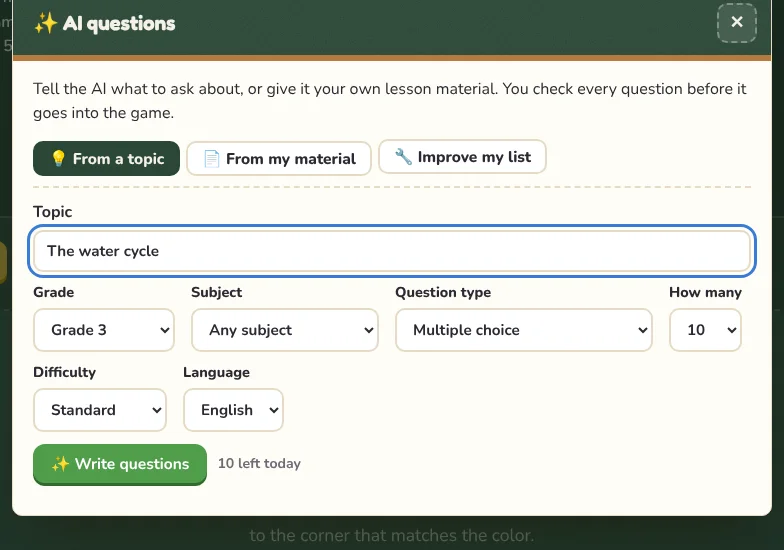
- On From a topic, type what to ask about, for example “the water cycle” or “Unit 3 animals”.
- Choose the grade, subject, question type, how many questions and the difficulty.
- Press Write questions. It usually takes 15 to 60 seconds.
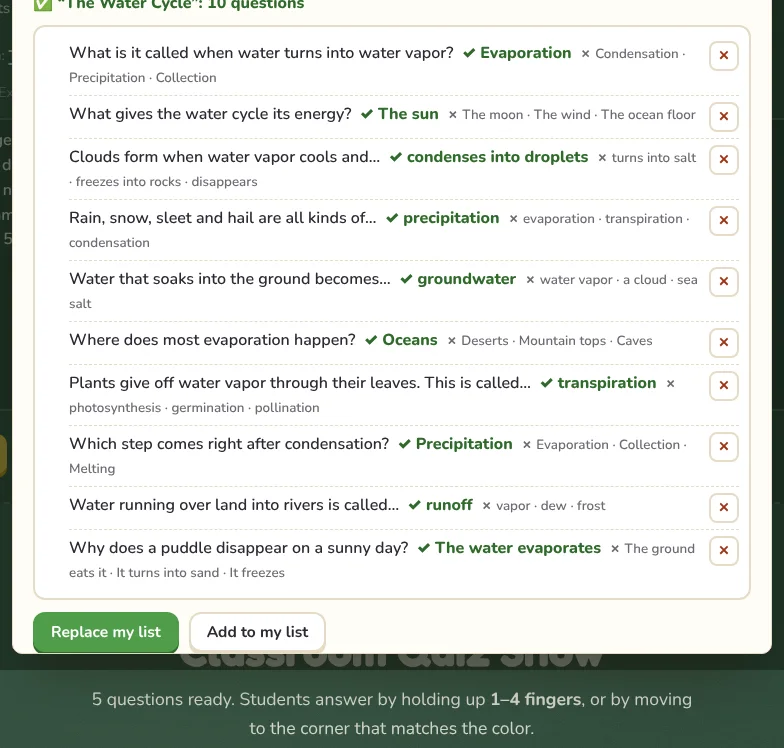
- Read the questions. Remove any you don’t want with the ✕, then press Replace my list or Add to my list.
Write questions from your own material
On From my material, choose files or paste text: a reading passage, lesson notes, a worksheet. The AI writes questions only about that material.
- PDF, Word (.docx), PowerPoint (.pptx), text and spreadsheets: the text is taken out inside your browser.
- Photos and scanned PDFs: pictures of a textbook page or a handout are shrunk and sent so the AI can read them.
- Use Focus to narrow it down, for example “new vocabulary only”.
Improve the list you already have
On Improve my list, the AI can write more questions like yours, add wrong answers to turn plain questions into multiple choice, make the list harder or easier, or translate it.
Check before you play
AI can make mistakes. Read every question and answer before you use them with your class; the preview makes that quick, and you can delete or edit any line afterwards in the editor.
TipOn the Question sets page, AI questions can go straight to the Quiz Show, the live quiz, My sets, a printed worksheet or a CSV file.
Daily limits
AI questions are free with a daily limit per device and per school network, shown as “left today” in the window. Tries that fail don’t count. When the limit is reached, the ready-made question sets are always available.