Help center

How to Use the Ready-Made Question Sets

The question library has hundreds of sets for math, English, science and more, sorted by grade. Each one plays in every game that fits it and prints as a worksheet.

Find a set

  1. Open Question sets.
  2. Type a topic in the search box (for example “fractions” or “planets”) or choose a grade and subject.
  3. Open a set to see every question and answer before you use it.
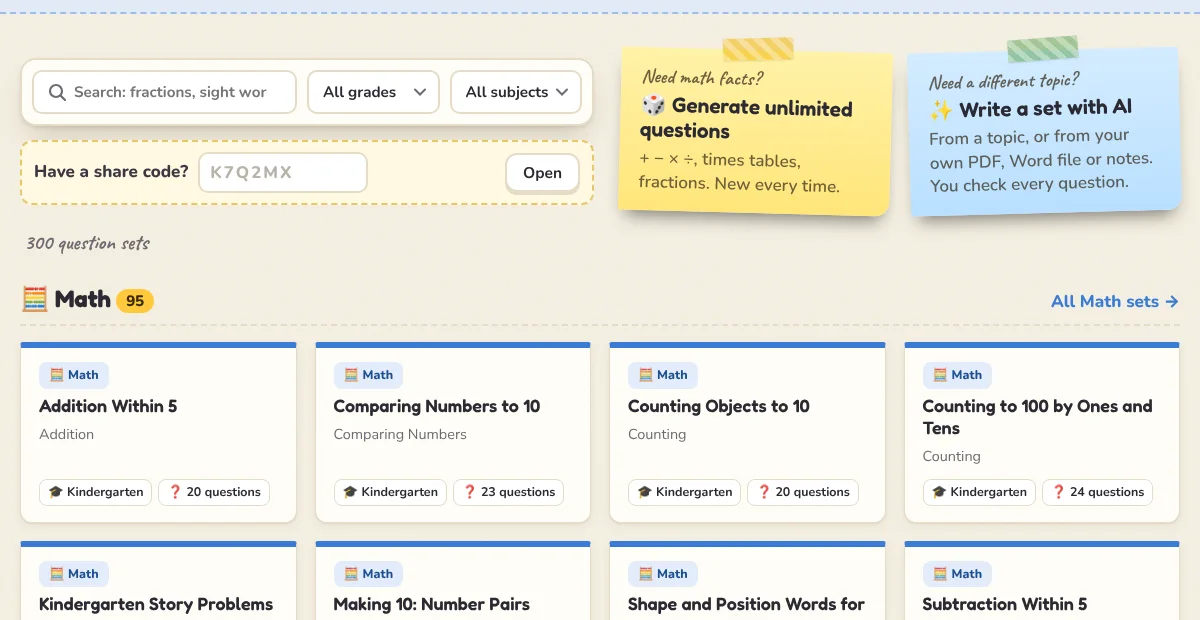
The question sets page: search, grade and subject filters, and the share-code box.

Play a set in a game

On a set’s page, the buttons under Play with this set open each game that fits it, with the questions already loaded. A set of vocabulary pairs, for example, offers Memory Match and Guess the Word; a multiple-choice set offers Quiz Show, Tic Tac Toe, Team Race and the live quiz.
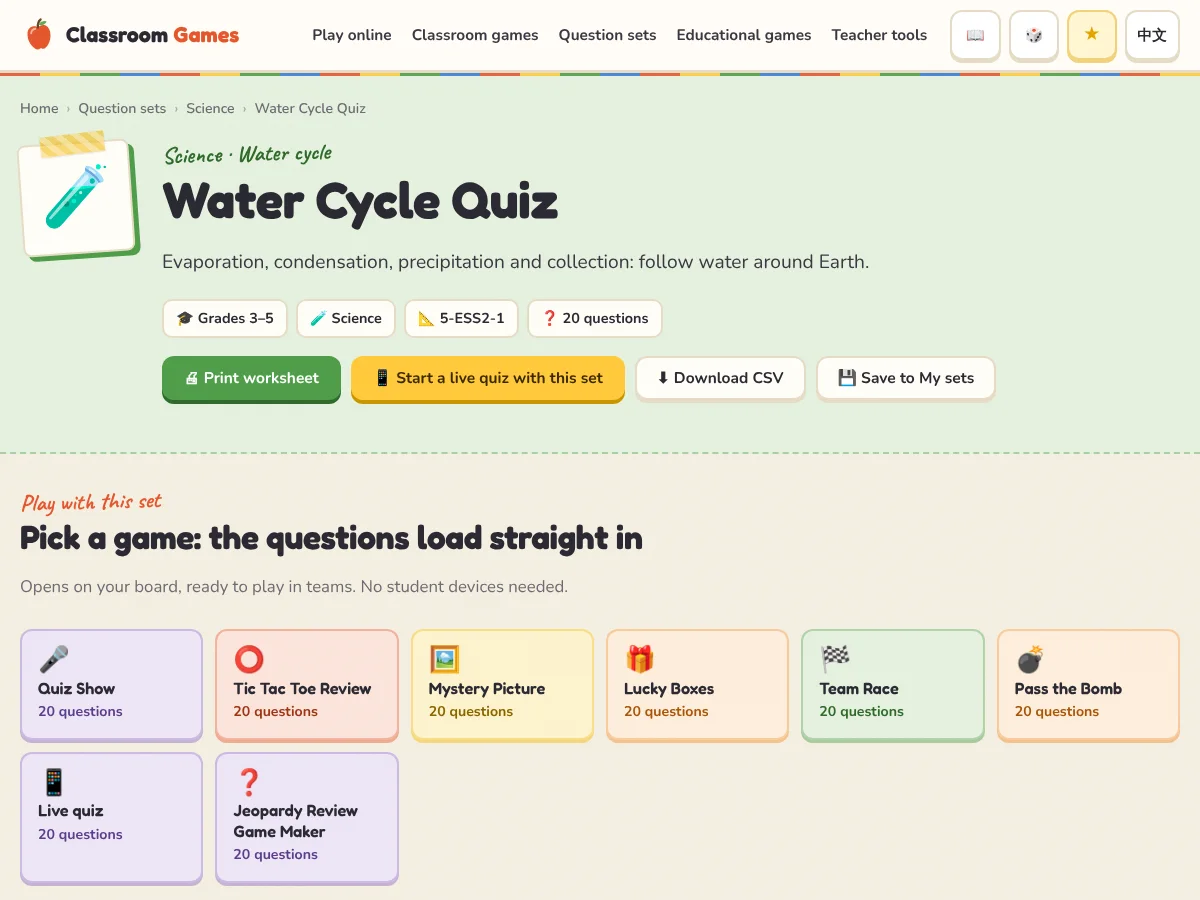
A question set page with the games it plays in, the questions and the worksheet button.

Load a set from inside a game

You can also start from the game: press ✏️ Edit questions, then 📚 Question library. The library only lists sets that fit this game, with grade and subject filters and a preview of each set. Press Use to load one.
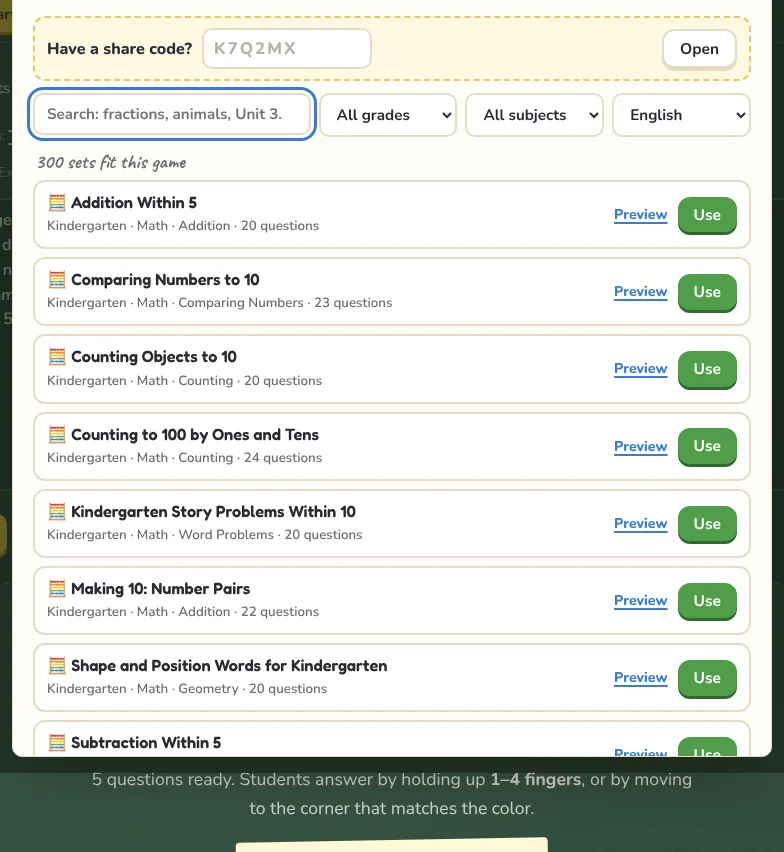
The question library inside a game, filtered to sets that fit it.

Every set page has a 🖨 Print worksheet button. It prints the questions on one page and the answer key on a separate page. Inside a game, the 🖨 Worksheet button prints your current list the same way.

Save a set for your own games

Save to My sets on a set page adds it to My question sets in every board game that can play it, so it is one click away during the lesson.

TipChange a ready-made set to fit your class: load it into a game, edit the lines in the editor, then save it to My question sets or make a share code.

Questions teachers ask

Frequently asked questions

Which curricula do the sets follow?

English sets follow common US topics for grades K–8 (Common Core math and ELA, NGSS science). Chinese sets follow the 人教版 primary curriculum, grades 1–6.

Can I use a Chinese set on the English site?

Yes. In the question library inside a game, switch the language menu to see the other language’s sets.

Why doesn’t a set appear in some games?

Each game needs a certain kind of question. A set of word pairs can’t become a multiple-choice quiz, so the library only shows sets that work in the game you are in.

Keep learning

Related guides